

External drawing-office support can be useful when a team has a defined technical workload and needs additional capacity to progress it. The practical test is whether the work can be briefed, supplied with suitable inputs and reviewed through a clear client-controlled route.
Identify the workload you need to move
Start with the task rather than a broad request for help. Is the team handling a short-term revision peak, a defined drawing package, repeated documentation updates or a continuing overflow requirement? Describe what is waiting, why it is waiting and which output would allow the next project decision to proceed.
A backlog caused by missing design information needs a different response from a backlog of well-defined drawing revisions. Additional production capacity can progress suitable work. It cannot resolve an unassigned design decision simply by creating more sheets.
Confirm the priority, dependencies and required timing. Availability and the appropriate support arrangement need to be discussed against that brief. No fixed capacity, turnaround or commercial saving follows automatically from using an external partner.
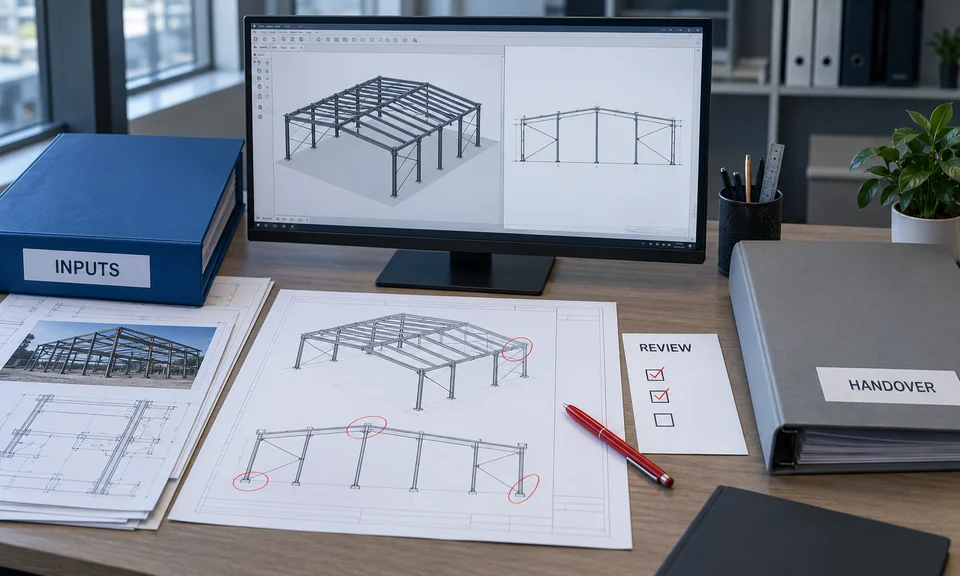
Choose a package with clear boundaries
A useful package identifies its starting information, expected output and acceptance route. It may cover agreed revisions, detailing, documentation, reconstruction or a defined support task. Establish which disciplines and interfaces are included, and who supplies decisions that sit outside that scope.
For example, a fabrication drawing package may require design and connection information from the responsible source before detailing can proceed. A drawing reconstruction task may need decisions about conflicting dimensions or site checks. Those dependencies should appear in the brief and query process rather than being hidden within production.
The fabrication package guide and drawing reconstruction guide help frame these different information needs. Agreeing a manageable package can be more useful than assigning an undefined collection of files.
Check that inputs are ready
Identify the reference set and its current revisions. Include relevant markups, available native files, drawing conventions, expected outputs and known unresolved information. Separate approved instructions from background records so the technical partner knows what may be relied on.
Confirm how later changes will arrive. Informal instructions spread across different messages can create ambiguity about which direction is current. Agree a communication contact and a way to record queries, responses and superseded inputs proportionate to the package.
The aim is a usable starting point, rather than a perfect archive. Where information is incomplete, state the limitation and decide whether production can proceed around it or whether an input decision is required first.
Keep review and issue ownership visible
Nominate the people who provide technical instructions, resolve queries, review developed information and authorise issue. Production, checking and professional approval are distinct responsibilities. Identify which checks DynaStruct will perform within the agreed scope and which decisions remain with the client or other responsible parties.
The UK BIM Framework's Guidance Part A: The information management function and resources, Edition 2, February 2021, provides an international example of assigning information-management responsibilities and defining third-party scope. It supports the importance of explicit ownership; it is not a DynaStruct certification or a mandatory South African procurement procedure. UK BIM Framework Guidance Part A.
For the actual engagement, the client's project requirements and agreed responsibilities control. A clear review route helps keep a developed drawing from being mistaken for an authorised fabrication or construction issue.
Use workload readiness to choose the next step
This practical decision matrix helps identify what should happen before work is commissioned.
| Situation | Useful next step | Information to agree |
|---|---|---|
| Temporary peak with defined revisions | Discuss an additional capacity package | Priorities, current references and review owner |
| A discrete package with suitable inputs | Scope the deliverables and handover | Included work, file conventions and issue route |
| Recurring overflow documentation | Discuss a repeatable support arrangement | Communication, review cycle and availability |
| Conflicting inputs or no approval owner | Resolve readiness before production | Decision owner, reliable source set and boundaries |
Some urgent requirements are still unsuitable for immediate outsourcing. Unclear scope, inaccessible necessary inputs or the absence of a person who can resolve decisions may need attention first. A preliminary scope discussion can identify that gap without promising that production alone will fix it.
Agree delivery and change controls
Define the files, sheets and supporting records required at handover. Confirm native or exchange formats, naming conventions, revision identifiers and how review comments should be returned. The 2D and 3D deliverables guide explains why different recipients may need different output types.
Set a clear process for changes to scope or inputs. A new layout, revised connection requirement or additional site information may affect work already developed. Record the change, assess its effect and agree the response with the client.
Handover should identify what was delivered, its revision and issue purpose, along with remaining queries or limitations. A recipient should be able to continue the project without reconstructing the history from scattered messages.
Prepare a commissioning checklist
Bring the following to an initial support discussion:
- A concise description of the workload and its intended use.
- Included drawings, assemblies or documentation tasks.
- Current reference revisions and editable files where available.
- Known gaps, assumptions and unresolved interfaces.
- Required outputs and recipient file conventions.
- Technical instruction, review and issue contacts.
- Required timing and dependencies on other parties.
- Expectations for communication, changes and handover.
Where Design or Estimation forms part of the requirement, describe the specific task and information basis. Agree the boundary of the support rather than assuming a drawing-office package includes every engineering or commercial responsibility.
Discuss practical capacity around your project
External support works best when the team can explain what it needs and maintain control over its decisions. The package can then be developed through an agreed input, production, review and handover route.
Explore Support Services and How We Work for DynaStruct's approved service context. Share the workload, available information and required timing through Discuss Your Project. DynaStruct can assess the appropriate technical-support scope and its dependencies with you.